> ## Documentation Index
> Fetch the complete documentation index at: https://restaurants.poly.ai/llms.txt
> Use this file to discover all available pages before exploring further.
# Adjusting awkward audio
The **Audio** section, found under **Voice** in Agent Studio, gives you access to every audio clip your agent uses on calls. From here you can preview and regenerate, individual clips — useful for fine-tuning specific lines that the agent may say awkwardly (i.e. awkward cadence, speed, etc.)
## How to find and adjust audio
1. In the PolyAI platform and go to **Voice** in the left-hand navigation.
2. Click the **Audio** tab to see the full list of generated audio clips.
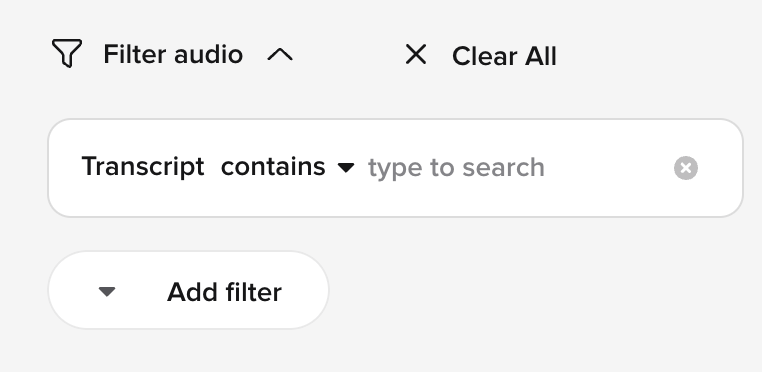
3. Use the **Add Filter button** and use the filter "Transcript contains" if you are looking for a specific clip
 4. To hear what the clip currently sounds like, click the the **Play button** on the left
5. If you want to regenerate the clip, click the **three-dot menu** at the far-right and click **Edit**
4. To hear what the clip currently sounds like, click the the **Play button** on the left
5. If you want to regenerate the clip, click the **three-dot menu** at the far-right and click **Edit**
 6. Click the **Regenerate button** on the left to regenerate the audio clip. Once it's regenerated, it will automatically play.
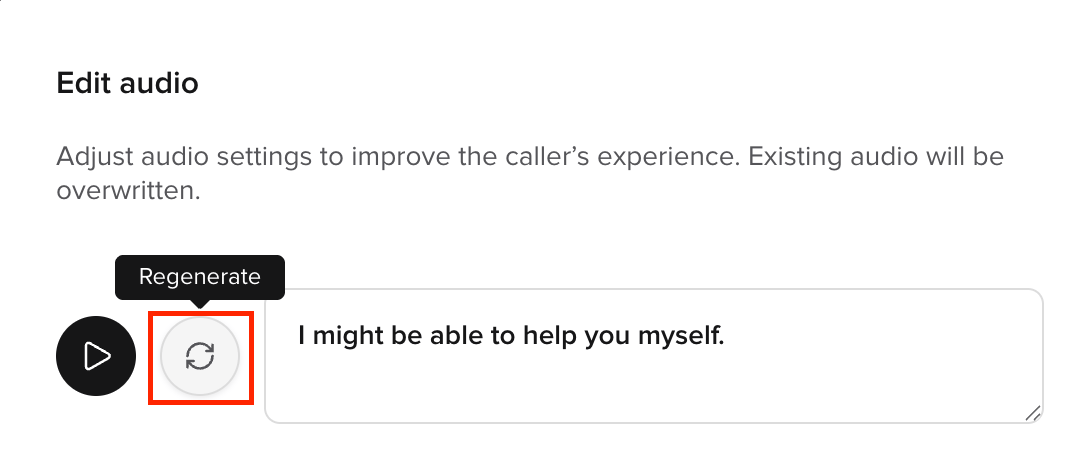 7. You can click the Regenerate button until the clip sounds the way you want it to. Once you are happy with it, click **Save**, then **Proceed**.
8. The audio clip in the list will now be tagged with **"Regenerated"** and the agent will use the regenerated audio going forward whenever it says that phrase.
7. You can click the Regenerate button until the clip sounds the way you want it to. Once you are happy with it, click **Save**, then **Proceed**.
8. The audio clip in the list will now be tagged with **"Regenerated"** and the agent will use the regenerated audio going forward whenever it says that phrase.
