

What “simple” means
- Handles one intent
- Completes in one turn
- Requires no clarification
- Triggers no actions
- Works the same way in Chat and Call
- Combine multiple questions
- Offer SMS, handoff, or routing
- Ask the user a follow-up question
Before you start: define your intent
Answer these questions before creating the topic:- What is the exact question being answered?
- Can a human answer it in one short response?
- Can users reasonably phrase this question in several different ways?
- “What time do you close?”
- “What time do you close and do you have holiday hours?”
Step 1: Choose a precise topic name
The topic name is the strongest signal for retrieval. Good topic names:- Describe one intent
- Are specific, not general
- Use
snake_case
closing_timeparking_costpet_policy
infogeneralshop_questionsmisc
Step 2: Write sample questions
Sample questions teach the retriever how users phrase requests. Add 5–10 variations that reflect real speech. Include:- Short questions
- Polite phrasing
- Informal or incomplete phrasing
- Call-style filler words
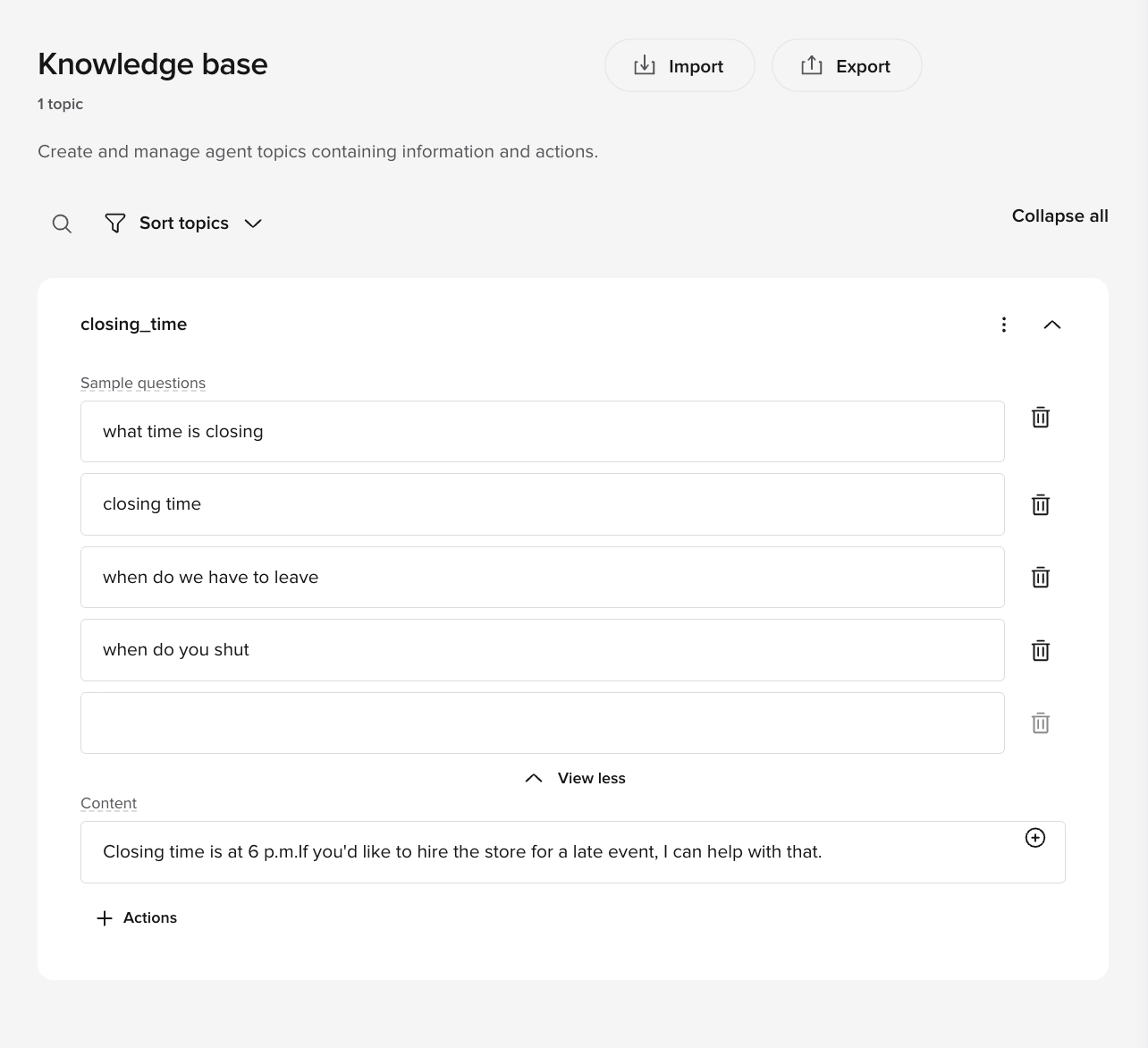
closing_time sample questions
- what time is closing
- closing time
- when do we have to leave
- when do you shut
- what time do we need to be out by
- uh what’s the closing time
- Repeating the same sentence with small wording changes
- Writing marketing-style language
- Including answers
Step 3: Write the Content response
The Content field is the agent’s full response. It should be:- Short
- Direct
- Easy to understand when spoken
- Complete on its own
- State the answer clearly
- Optionally mention one next step
- Stop
closing_time content
- The answer comes first
- The response ends cleanly
- No action is triggered
- Explanations or justification
- Policy language
- Multiple offers or options
Step 4: For now, leave Actions empty
For a simple KB topic:- Do not add Actions
- Do not reference functions
- Do not trigger handoff or SMS
Common simple KB patterns
Static information
Topic nameopening_hours
Content
Policy statement
Topic namepet_policy
Content
Location information
Topic nameparking_location
Content
Price reference
Topic nameparking_cost
Content
Verification
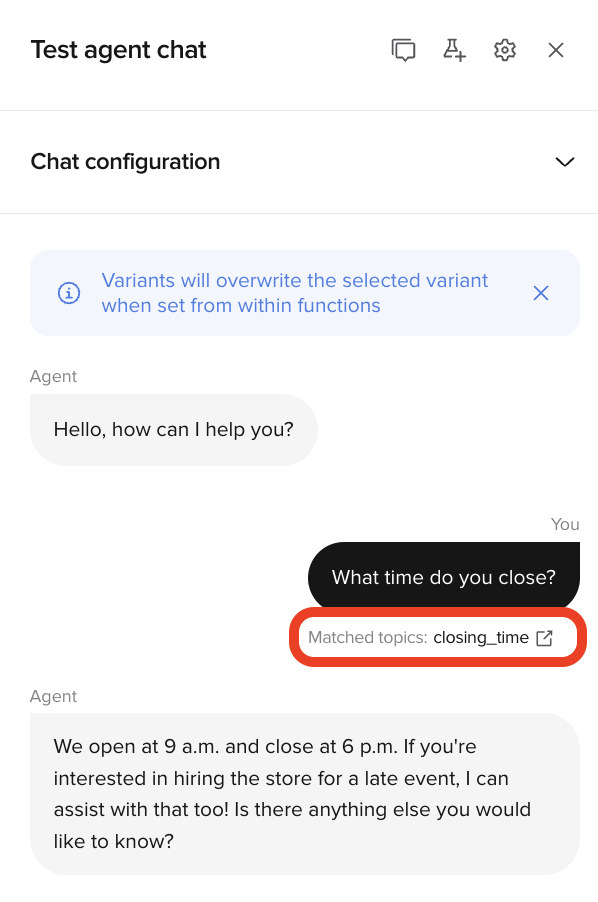
Test in Chat
Ask the question using:- Exact phrasing
- Informal phrasing
- Polite phrasing
- Abrupt phrasing
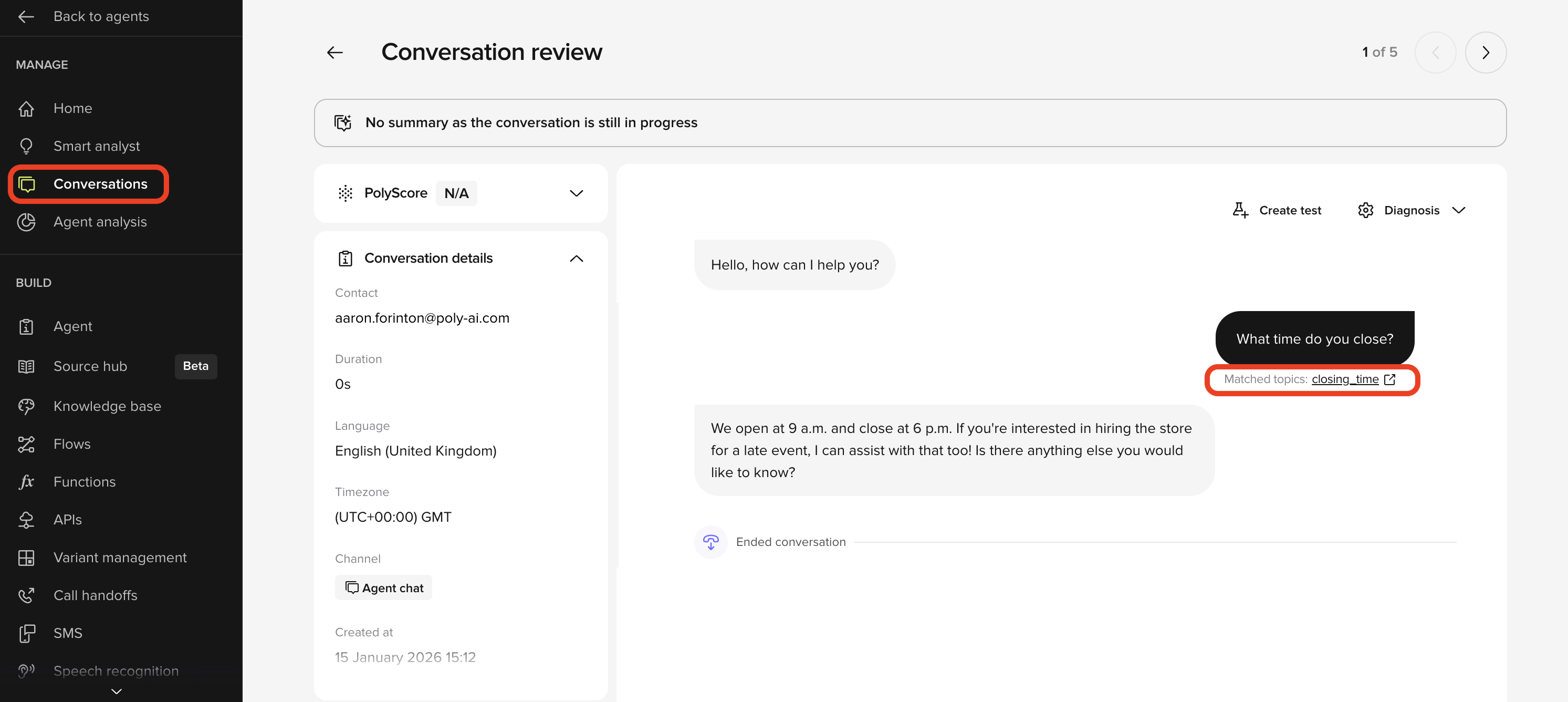
- The same topic triggers every time
- The response does not change
- No follow-up question is asked
Test in Call
Ask the same question out loud, including hesitation or filler words. Confirm:- Speech is transcribed correctly
- The response sounds natural when spoken
- The agent does not over-explain
Final checklist
Before moving on, confirm:- The topic answers exactly one question
- Sample questions reflect real user phrasing
- Content is short and speakable
- Actions are empty
- The topic behaves the same in Chat and Call