

Where this lives
- Voice → Agent voice
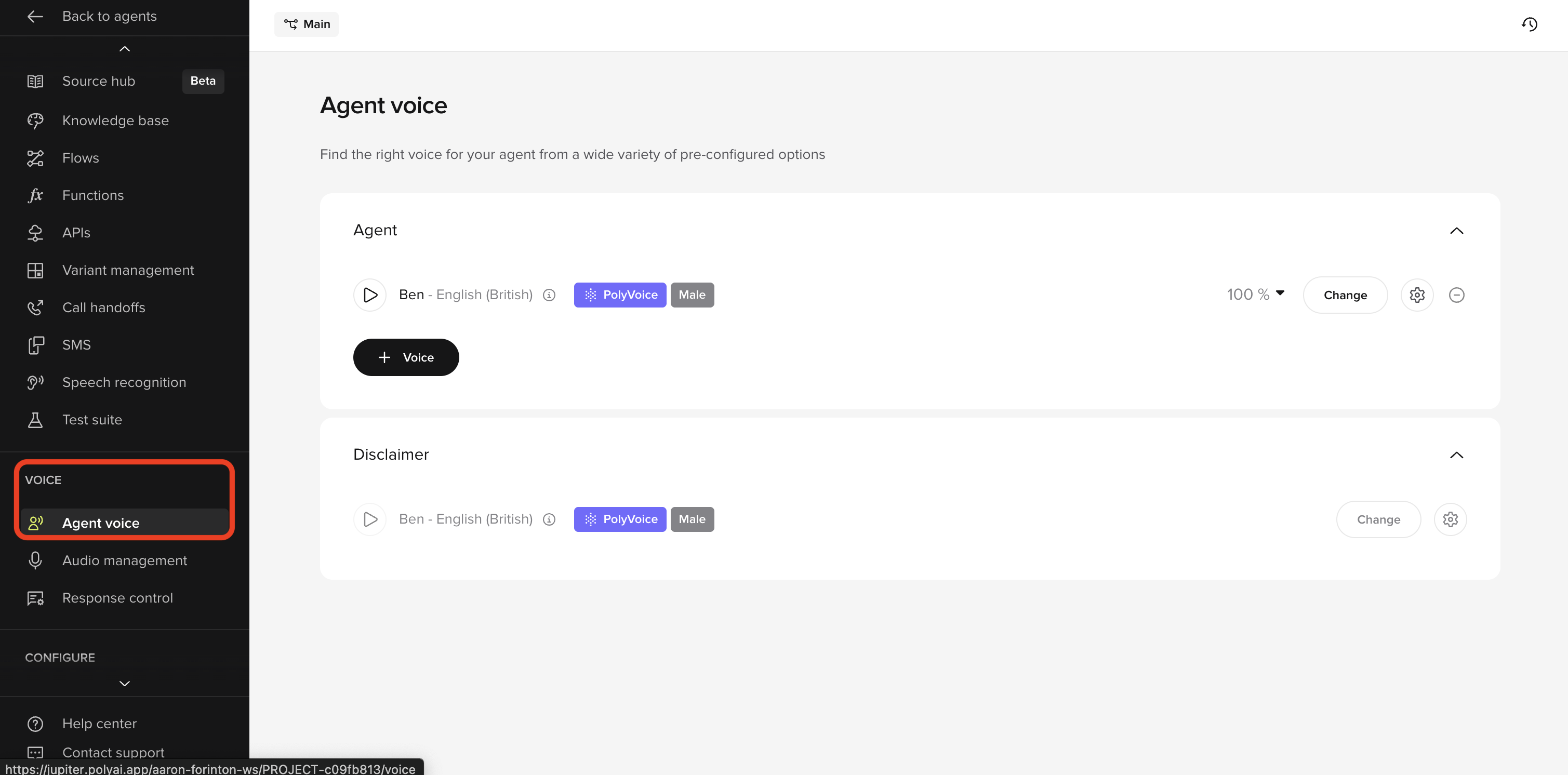
- Agent (the primary speaking voice)
- Disclaimer (used only for legal or informational disclosures, if enabled)
What you are configuring
Each voice entry has three layers:- Voice selection (who the agent sounds like)
- Weighting (if multiple voices are used)
- Voice tuning (stability, clarity, speed)
Step-by-step
1. Select the agent voice
In the Agent section:- Click Change
- Browse voices by:
- Language / locale
- Gender
- Voice type
- Preview each voice using the play button
- Matches your audience’s expectations
- Sounds neutral and professional
- Remains pleasant over repeated listening
2. (Optional) Add multiple agent voices
You can add more than one agent voice and split usage between them.- Click + Voice
- Select an additional voice
- Assign a percentage weight (for example, 70% / 30%)
- You want subtle variation across calls
- You are testing two voices in parallel
3. Configure voice settings (gear icon)
Next to each voice, click the Settings (gear) icon to open advanced tuning. You will see: Voice model- Leave as default unless advised otherwise.
- Controls how consistent the voice sounds.
- Higher = more predictable, less expressive.
- Call agents: 70–90
- Informational agents: 60–80
- Controls how close the generated voice is to the original recording.
- Higher = more realistic, but slightly less forgiving.
- Dynamic conversations: 80–95
- Scripted or repetitive content: 95–100
- Controls pacing.
- Default is usually correct.
- Calls: 0.95–1.05
- Long explanations: slightly slower (0.95)
4. Configure disclaimer voice (if enabled)
If your agent uses a disclaimer:- Expand the Disclaimer section
- Select a voice (can be the same or different from the agent)
- Use a clear, neutral voice
- Avoid expressive or casual tones
- Keep speed slightly slower than the main agent
Example disclaimer text: “This call may be recorded for quality and training purposes.”
5. Publish changes
Once satisfied:- Click Publish
- Changes will apply to the selected environment
Verify
After publishing:- Make at least one test call
- Listen to:
- Greeting
- Mid-call responses
- Handoff or SMS offers
- Confirm:
- Voice sounds consistent
- No awkward pacing
- Audio matches expectations across turns