

Version comparison enhancements
Version comparison enhancements
You can now compare versions across functions, flows, and knowledge base items—not just KBs.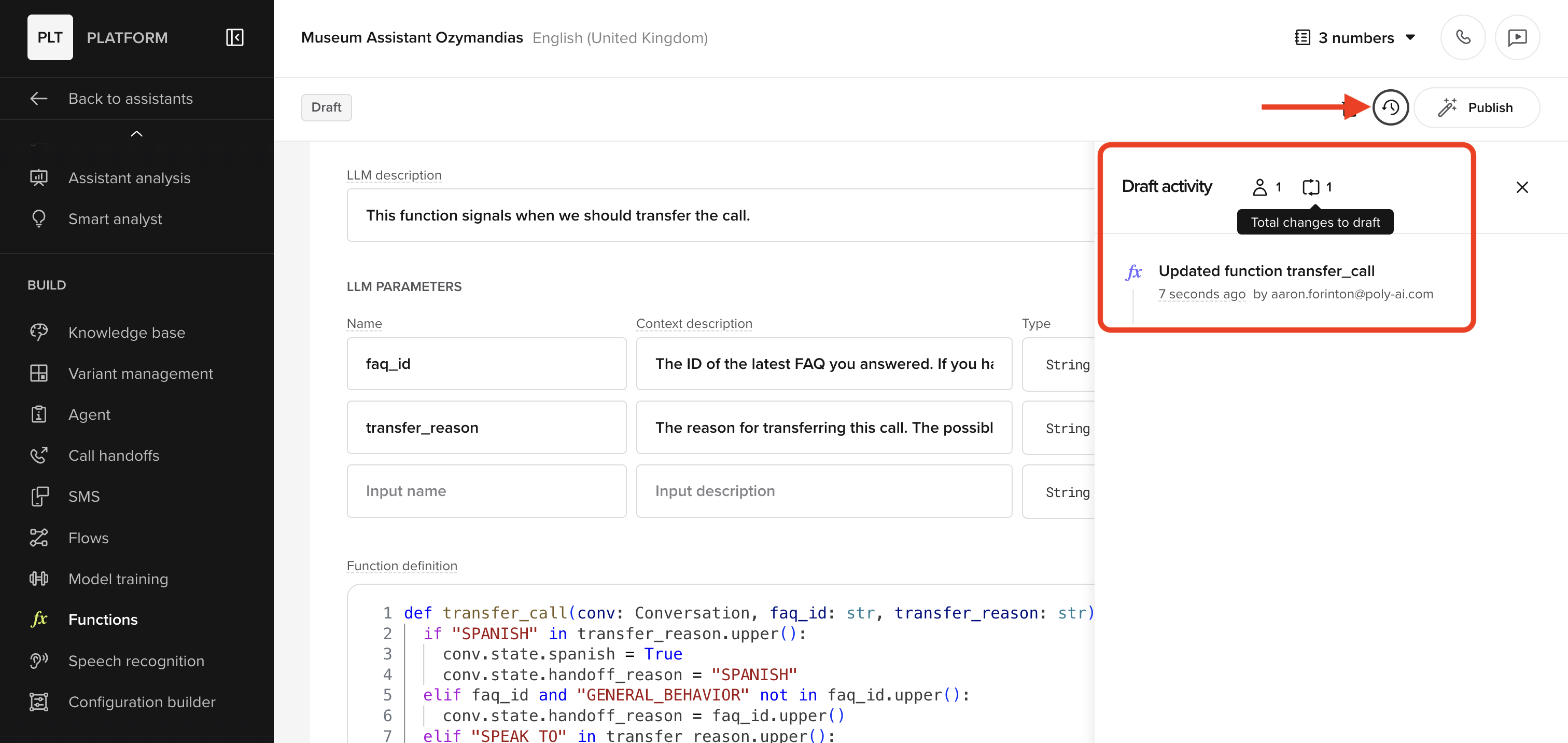
- The sidebar UI highlights additions, edits, and deletions
- View full publish history per item
Agent configuration
Agent configuration
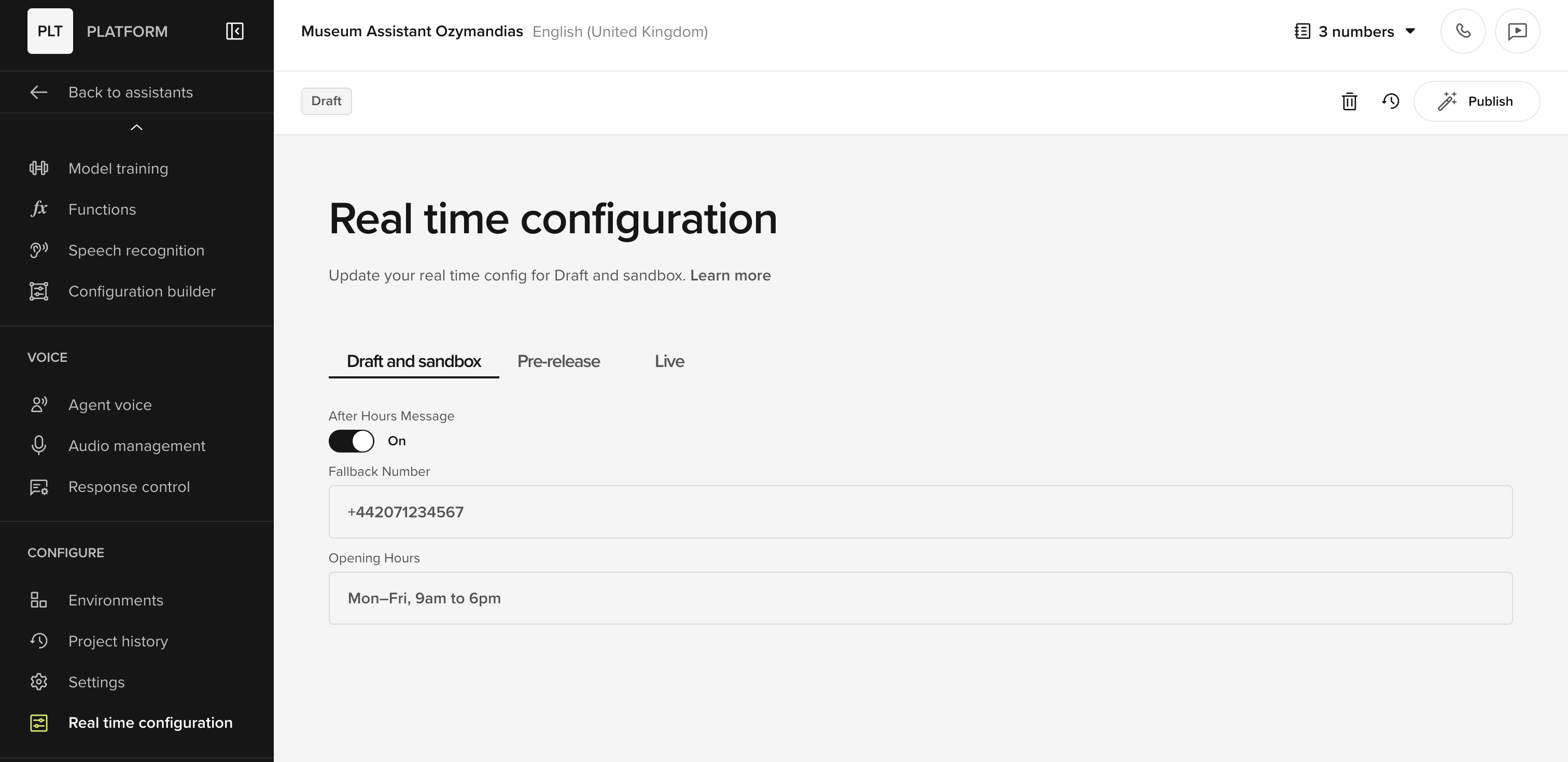
Bring dynamic, real-time settings to your agent—without touching flows or code.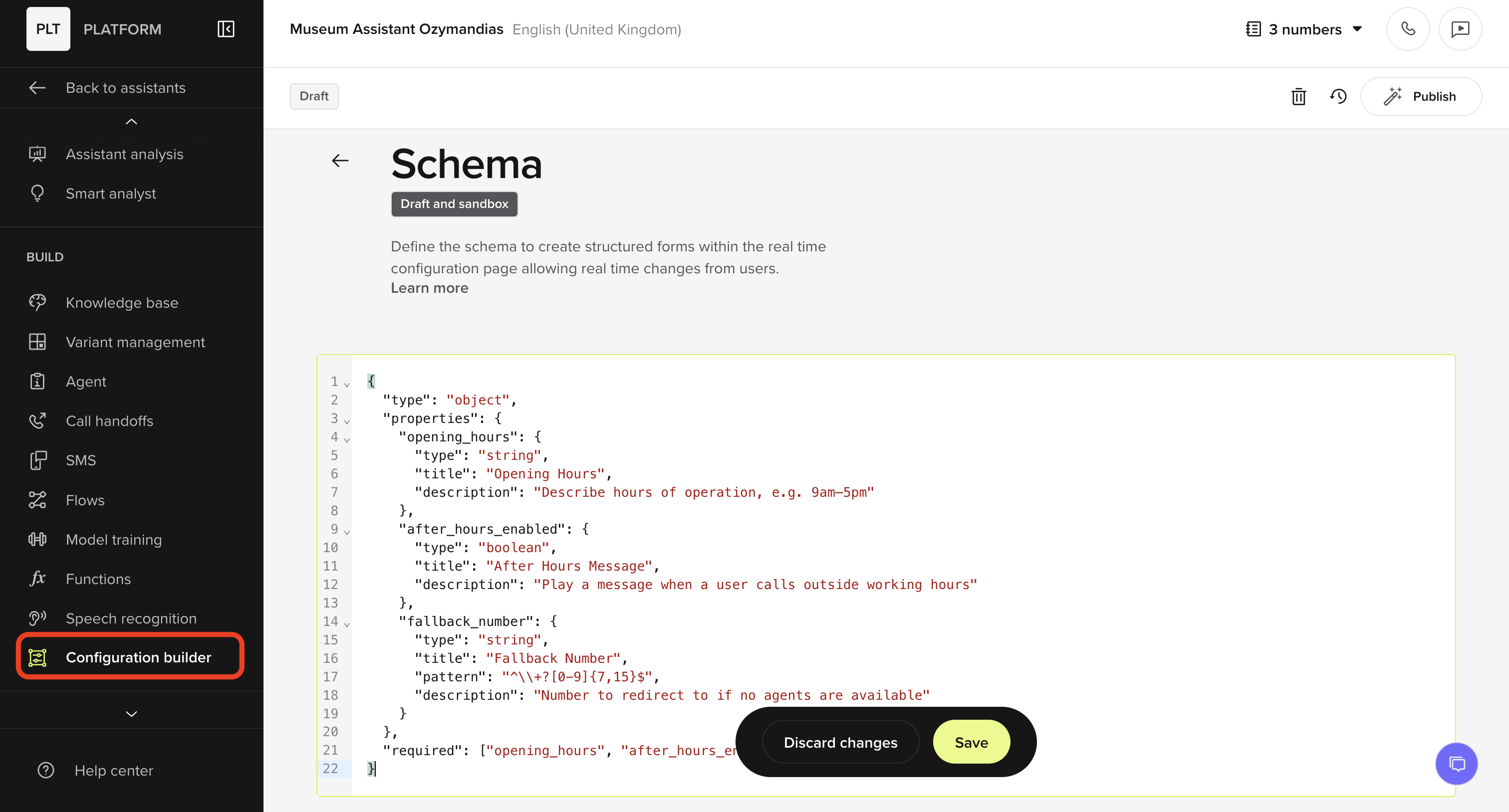
- Builders define a JSON schema to create structured config forms
- Managers populate values per environment (Draft, Pre-release, Live)
- Forms appear in the Configuration tab once the schema is published
- Opening hours
- After-hours message toggles
- Fallback numbers
-
Environment-specific logic flags
Action name search and autofill
Action name search and autofill
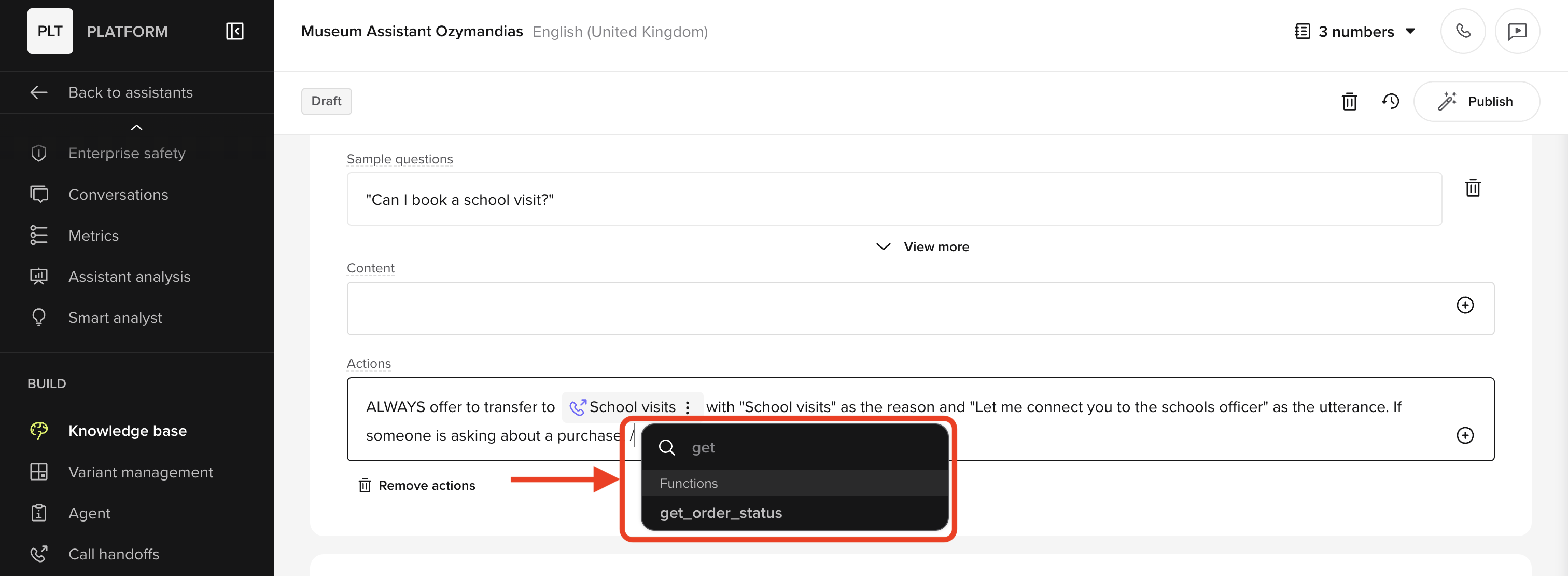
/name directly into the editor.Improvements include:- Cleaner UI for selecting actions
- Matches top-level categories and partial names
- Can better handle nested actions in the UI
Cached disclaimer messages
Cached disclaimer messages
Disclaimer messages are now cached in the Cache under Audio Management.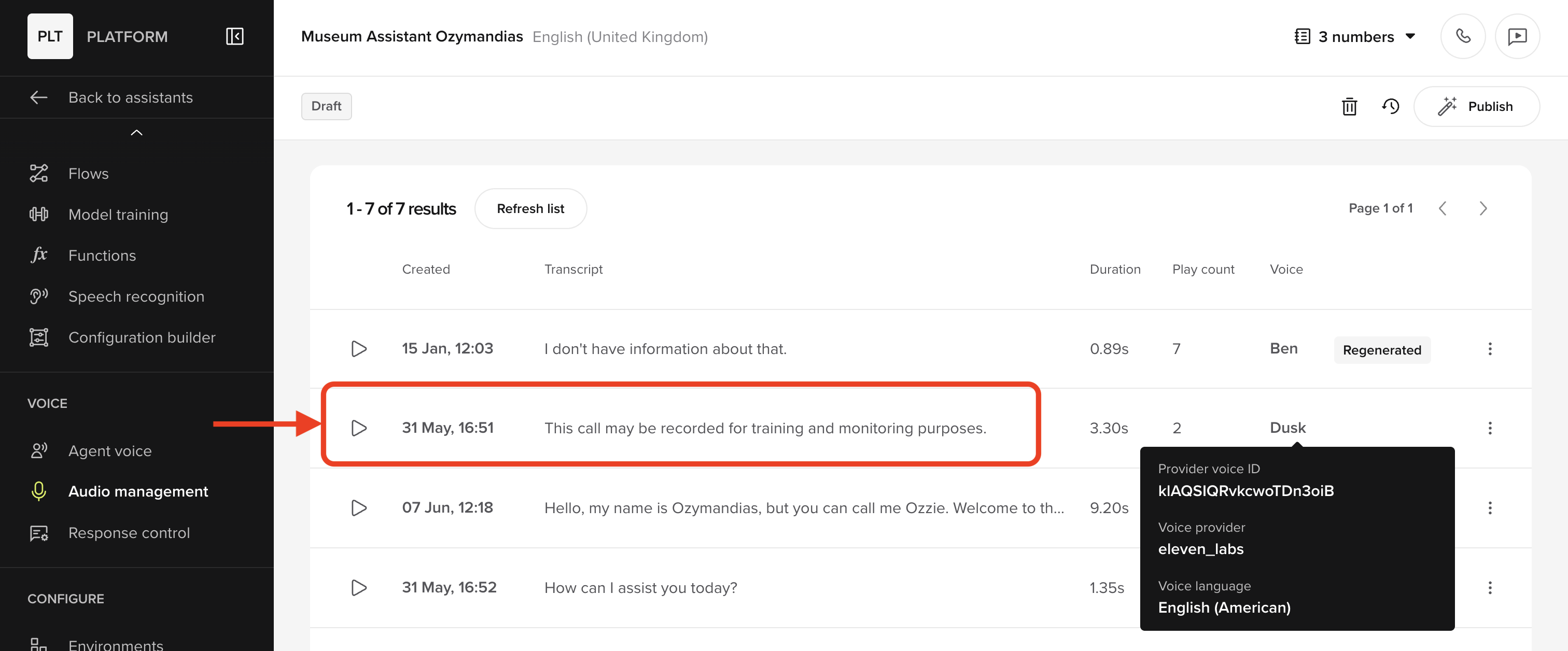
- Ensures consistent delivery of disclaimer audio
- Reduces response time when disclaimers are reused across flows or agents
- Simplifies troubleshooting when disclaimers fail to play
Smart analyst (Beta)
Smart analyst (Beta)
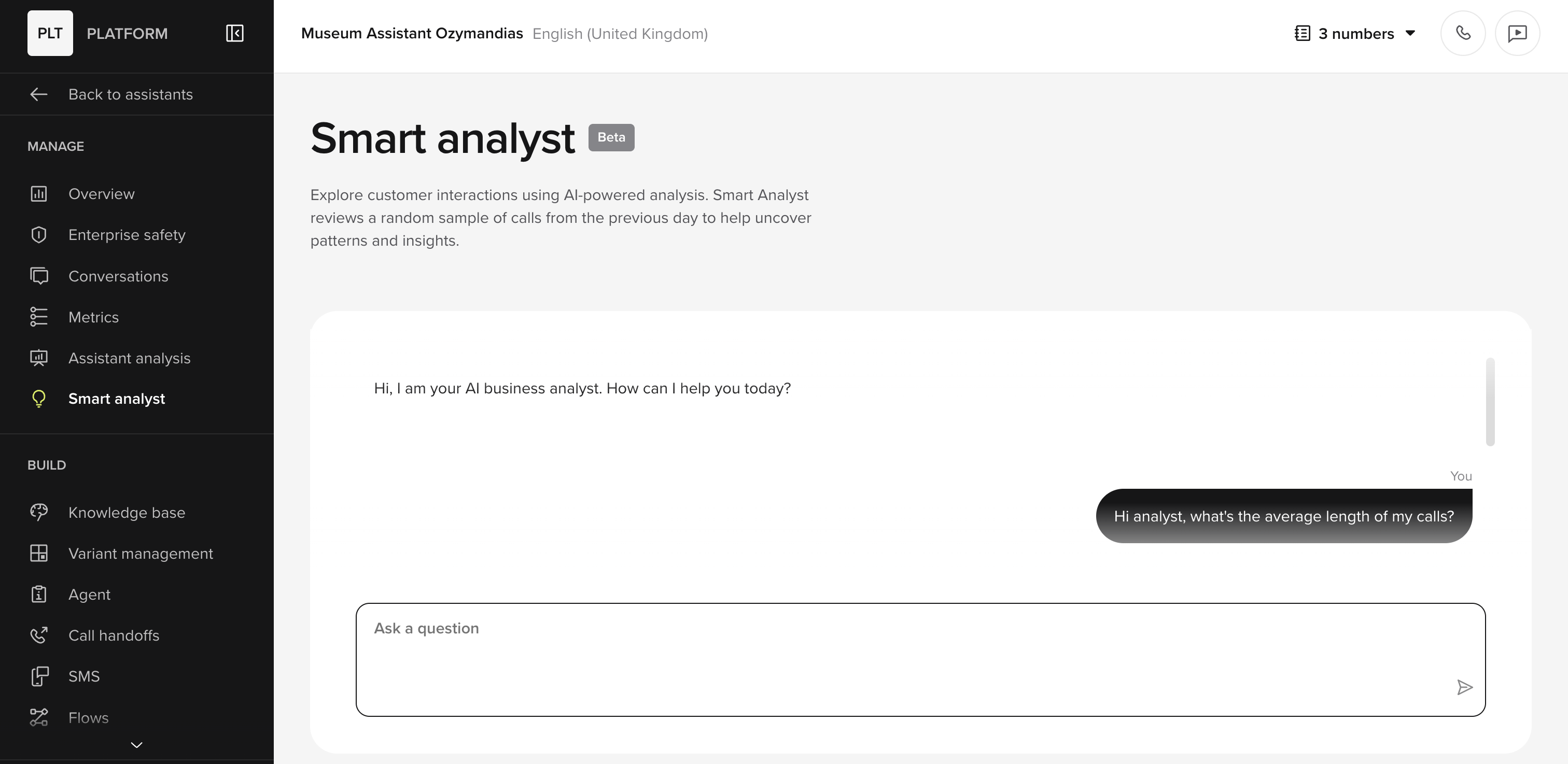
- “How long are my calls on average?”
- “Which intents failed yesterday?”
- “What’s the most common escalation reason?”
- Reviews call data from the past 24 hours
- Summarizes behavior patterns and performance
- Lets you explore assistant usage conversationally
Agent memory
Agent memory
Agent Memory allows agents to persist and recall information across conversations—like user preferences or recent bookings—using a secure key-value store.How it works:
- Memory is stored per identifier (e.g. phone number)
- Functions can access memory using
conv.memory - Values are written using
conv.stateand saved at call end - Multiple identifiers (like phone and email) can be linked to the same profile
- Recall a user’s previous delivery date or cheese preference
- Link web and phone interactions to a shared memory profile
- Personalise greetings based on previous contact history
Test Suite
Test Suite
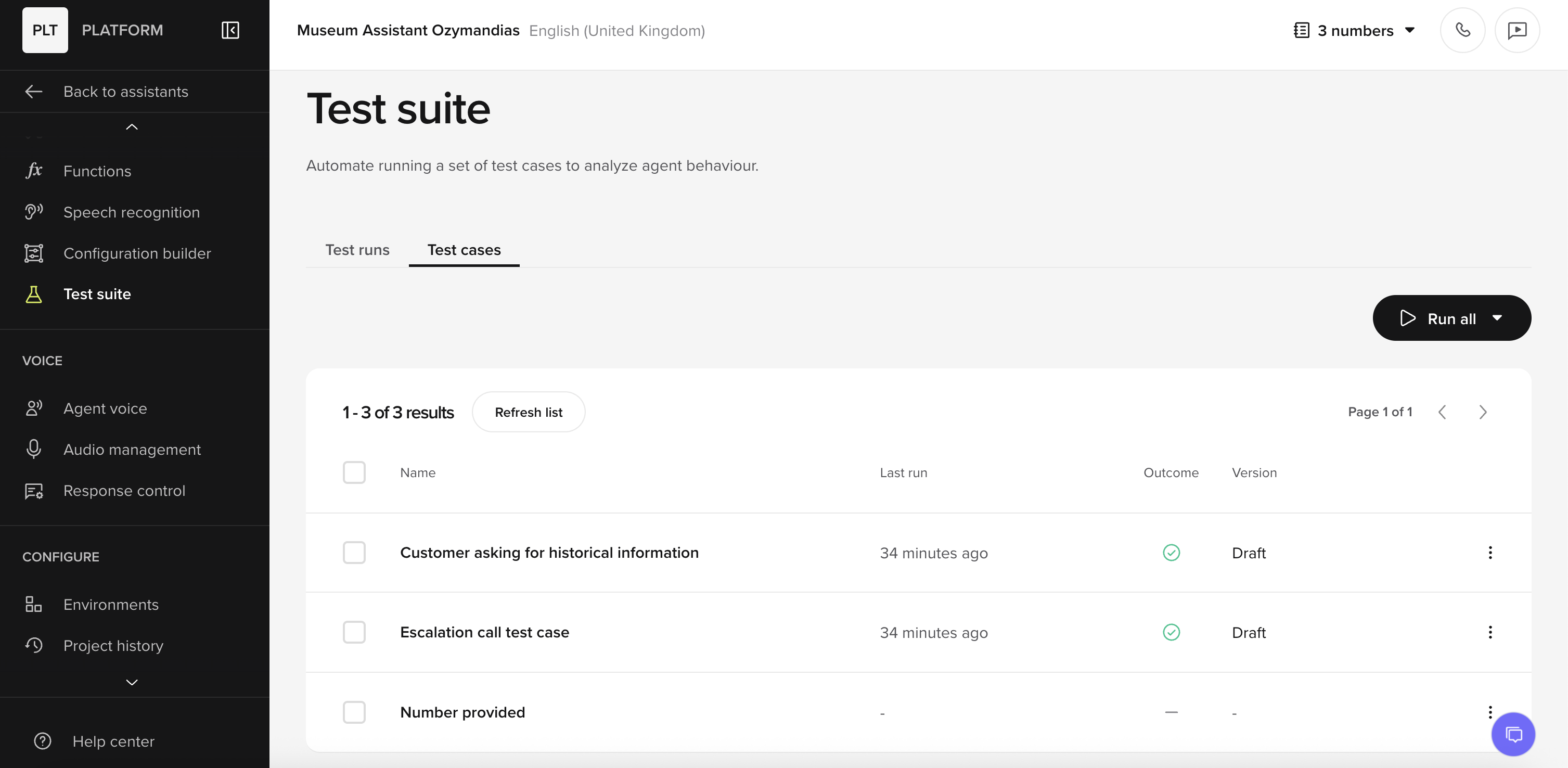
- Save test cases from the chat panel or conversation review
- Re-run conversations with new parameters like contact name or phone number
- Run tests individually or batch test cases in groups
- Review success rates in the Test Runs tab
PolyScore
PolyScore
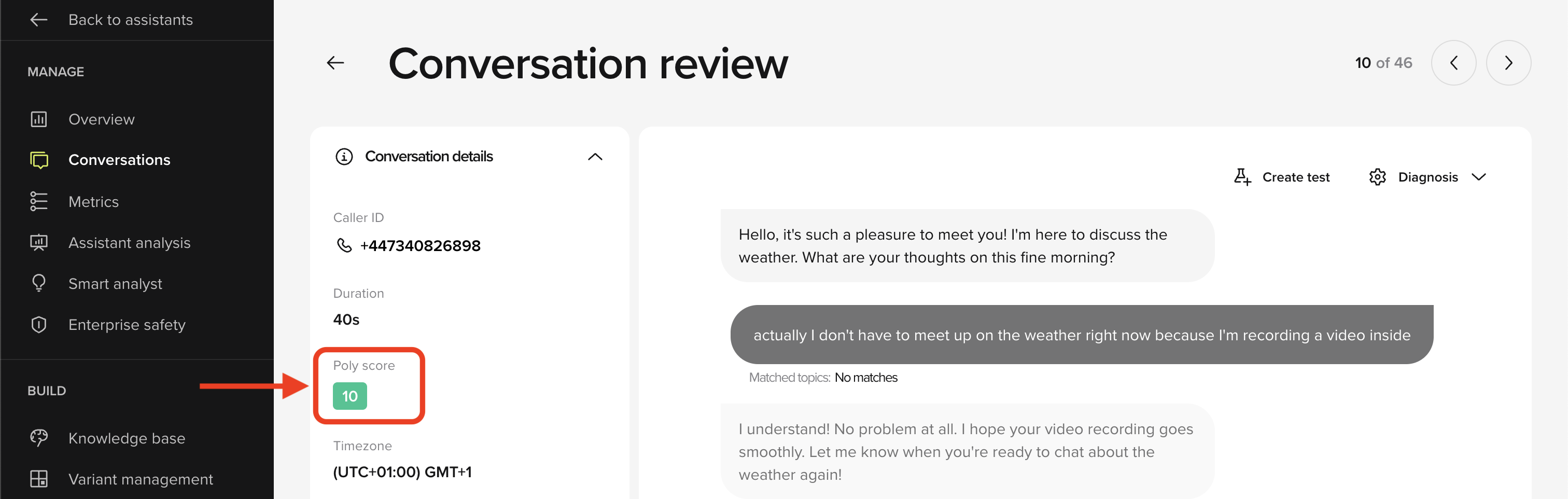
- Assigns a score from 0–10 per call, where higher is better
- Weighs multiple behavioral and qualitative signals
- Offers fast, standardized feedback across all calls