Live call listening
Live call listening
Monitor calls as they happen in real time in Conversation Review.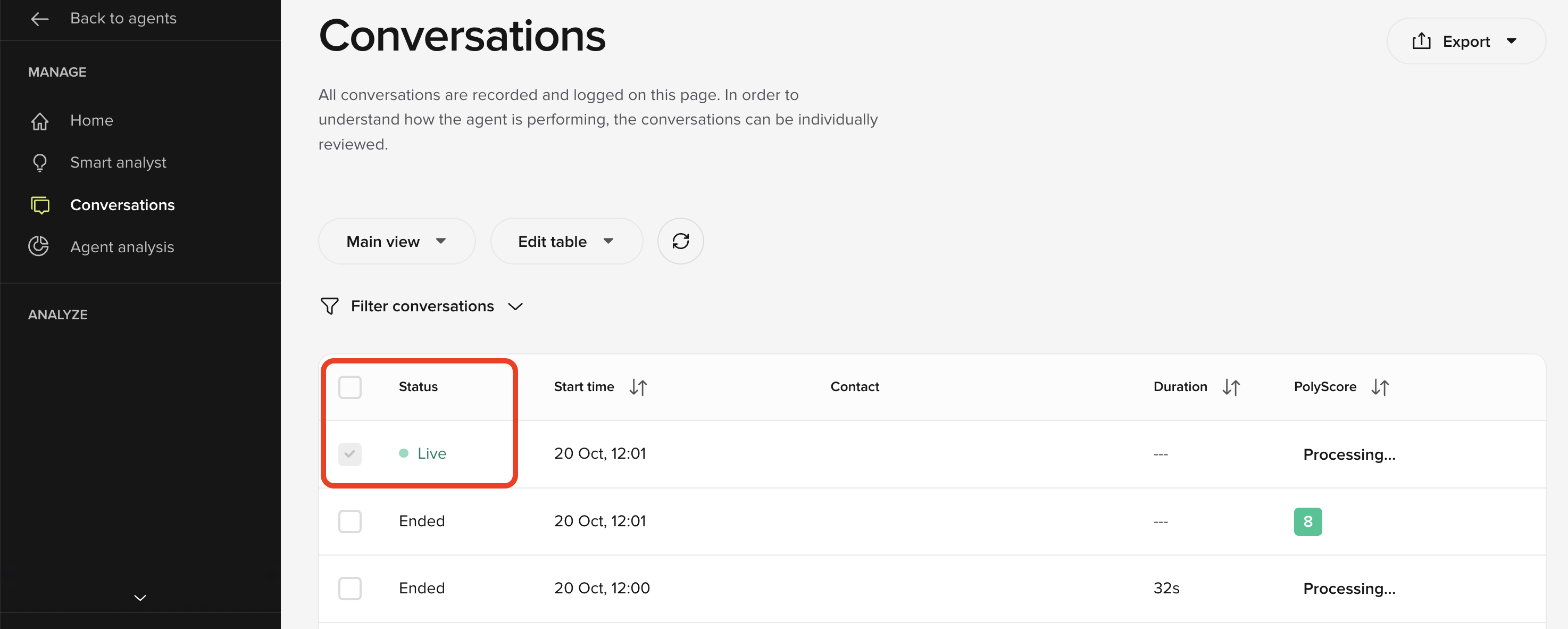
- In-progress calls now appear in the Conversations list with live duration indicators.
- Watch turns stream live as they occur, including timestamps and caller metadata.
- Access is permission-controlled — users without PII-level access cannot view transcripts.
- A new tabbed view separates Live, Ended, and All calls for easier navigation.
Advanced Webchat customization
Advanced Webchat customization
Webchat now supports configurable disclaimer messages and consent prompts to meet legal and privacy requirements.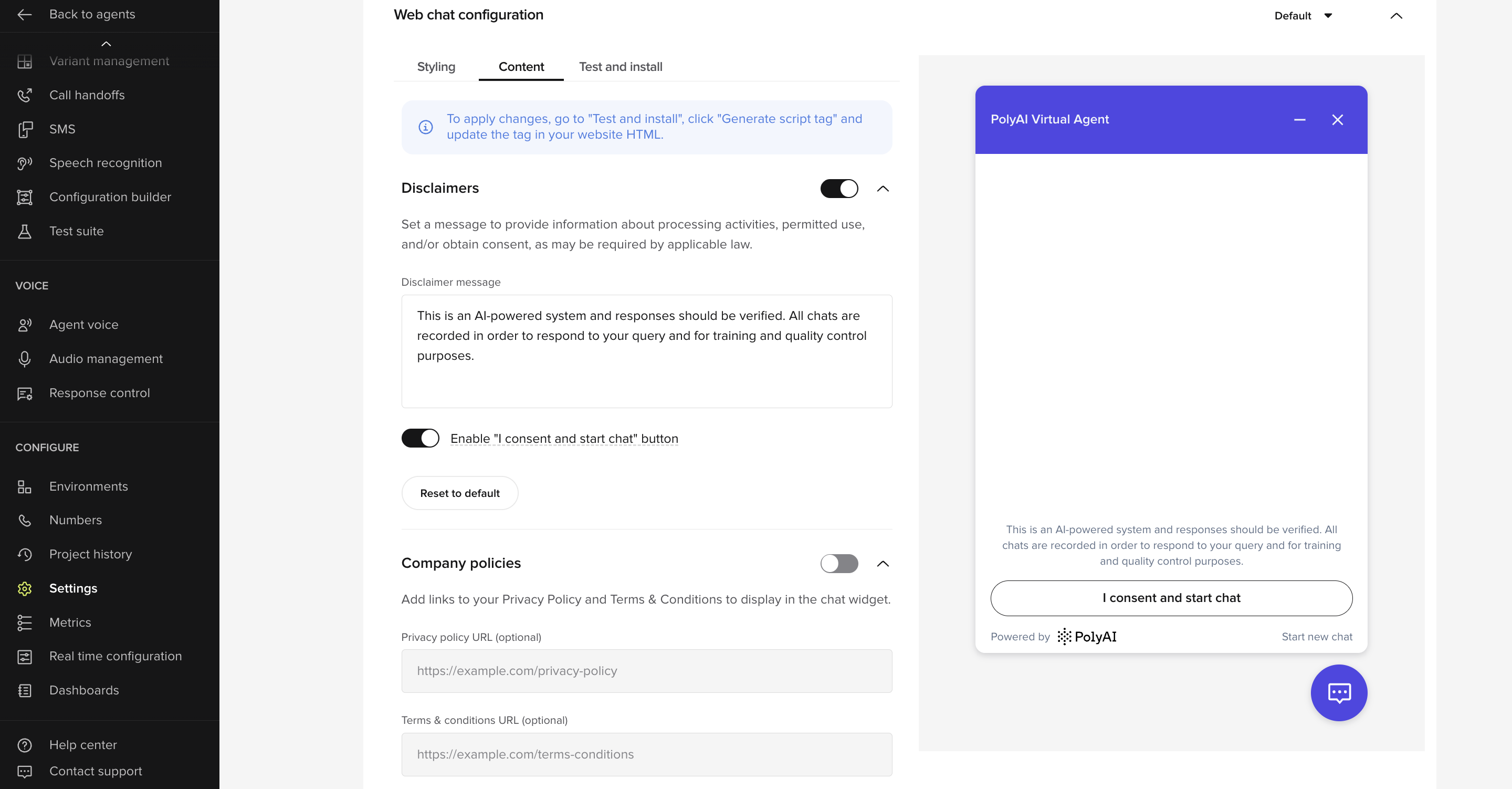
- Add a custom disclaimer message above the input field.
- Include clickable Privacy Policy and Terms & Conditions links.
- Optionally require an “I consent” button before starting a chat.
- Configure everything from Settings → Webchat.
Auto-run Test Sets
Auto-run Test Sets
You can now run Test Sets automatically when publishing to Sandbox, or promoting to Pre-release or Live.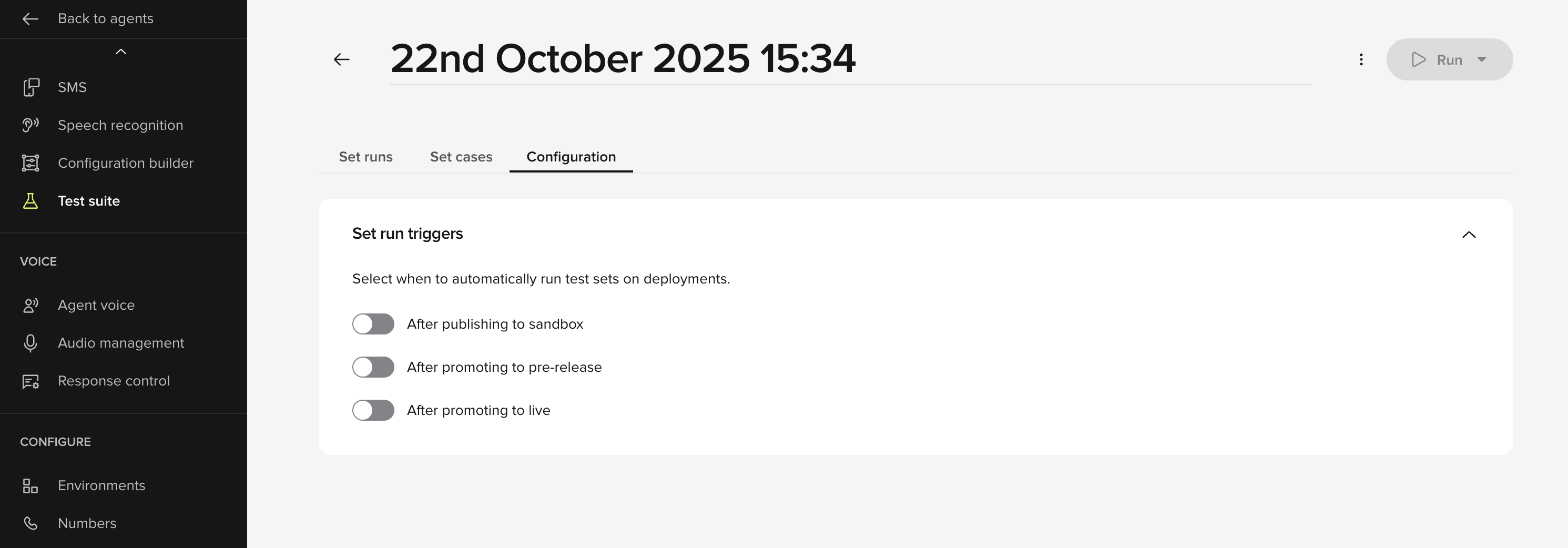
- Configure Test Sets to run automatically on publish or promote.
- Runs trigger before deployment to Sandbox, Pre-release, or Live environments.
- Enforces regression testing for complex, multi-variant projects.
Function logging (conv.log)
Function logging (conv.log)
Write structured logs directly from inside functions using What’s new:
conv.log, viewable in Conversation Review → Diagnosis and the Conversations API.- Use
conv.log.info,conv.log.warning, andconv.log.errorto record structured logs. - Entries appear inline in Conversation Review and in API responses.
- Mark entries as PII so only users with permission can view them.
Smart Analyst templates
Smart Analyst templates
Smart Analyst now opens with a new Templates interface — offering ready-made, categorized prompts for instant insight generation.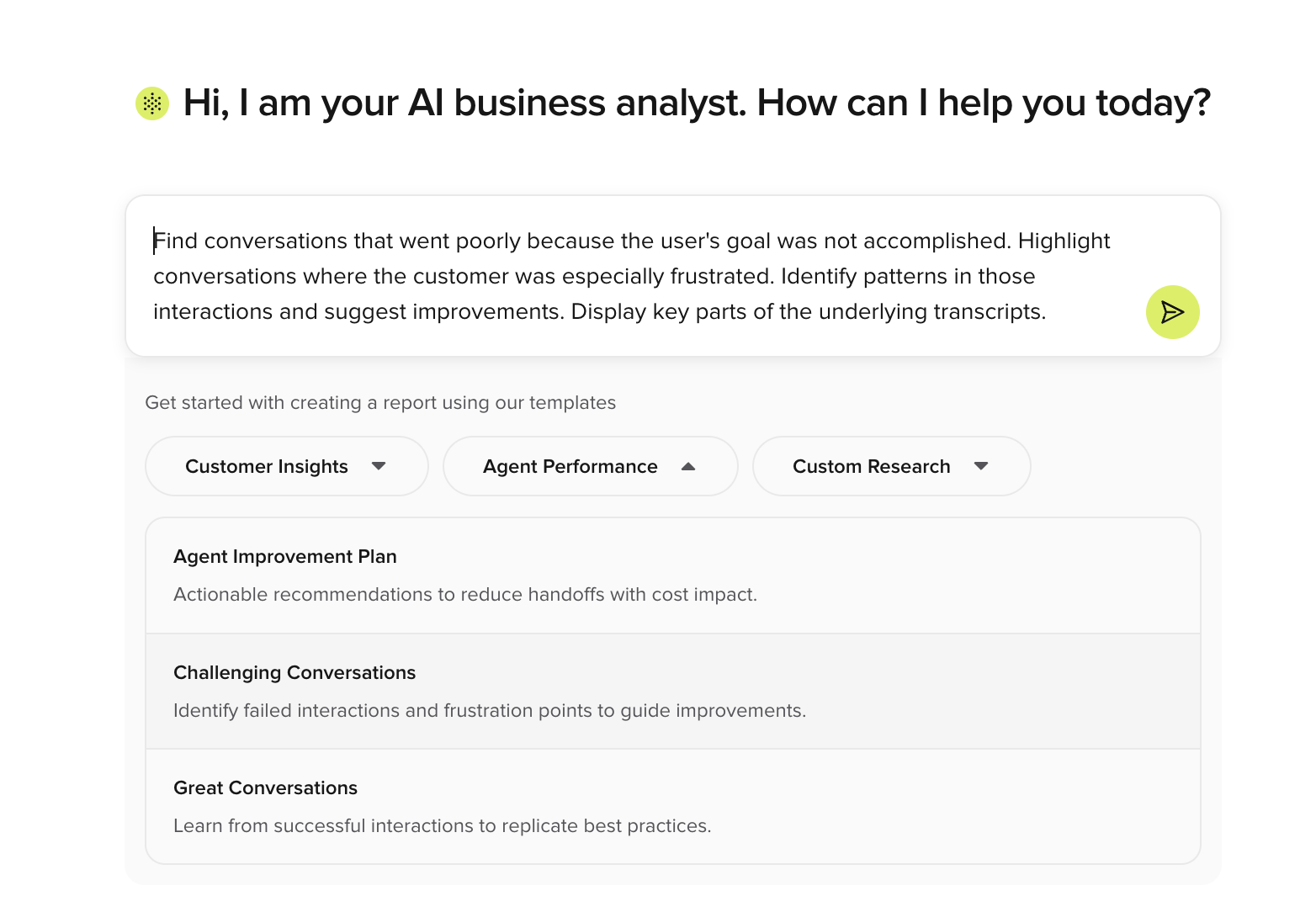
- Start faster with pre-built analysis templates, organized by category: Customer Insights, Agent Performance, and Custom Research.
- Templates include optimized queries and short descriptions for clear outcomes.
- Selecting a template auto-fills the query field with a pre-configured analysis prompt.
- Each template is designed to help non-technical users explore real data and build useful reports instantly.
- Templates will expand over time with more analysis types and custom management tools.
Agent Analysis – scheduled batches
Agent Analysis – scheduled batches
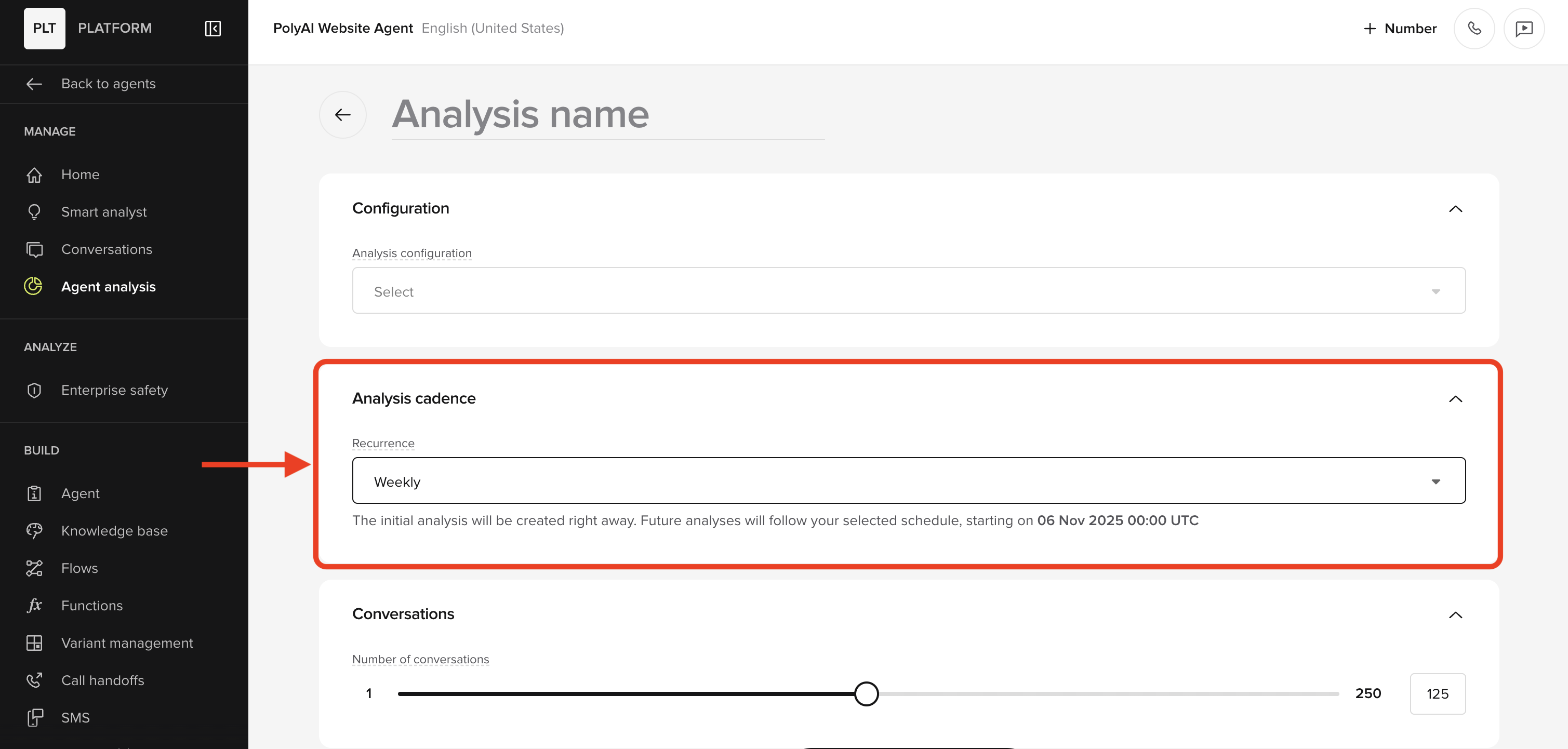
You can now schedule Agent Analysis to run daily or weekly. Automating recurring analysis tasks is a good way to continuously track the performance of your project after deployment or when it is in QA.