

Source Hub
Source Hub
Upload and manage multiple knowledge sources to power your KB — files, URLs, and external integrations — all from one place.
This is an improvement on the previous source hub functionality from the knowledge base, and allows mature organizations with a lot of content to build and maintain quickly.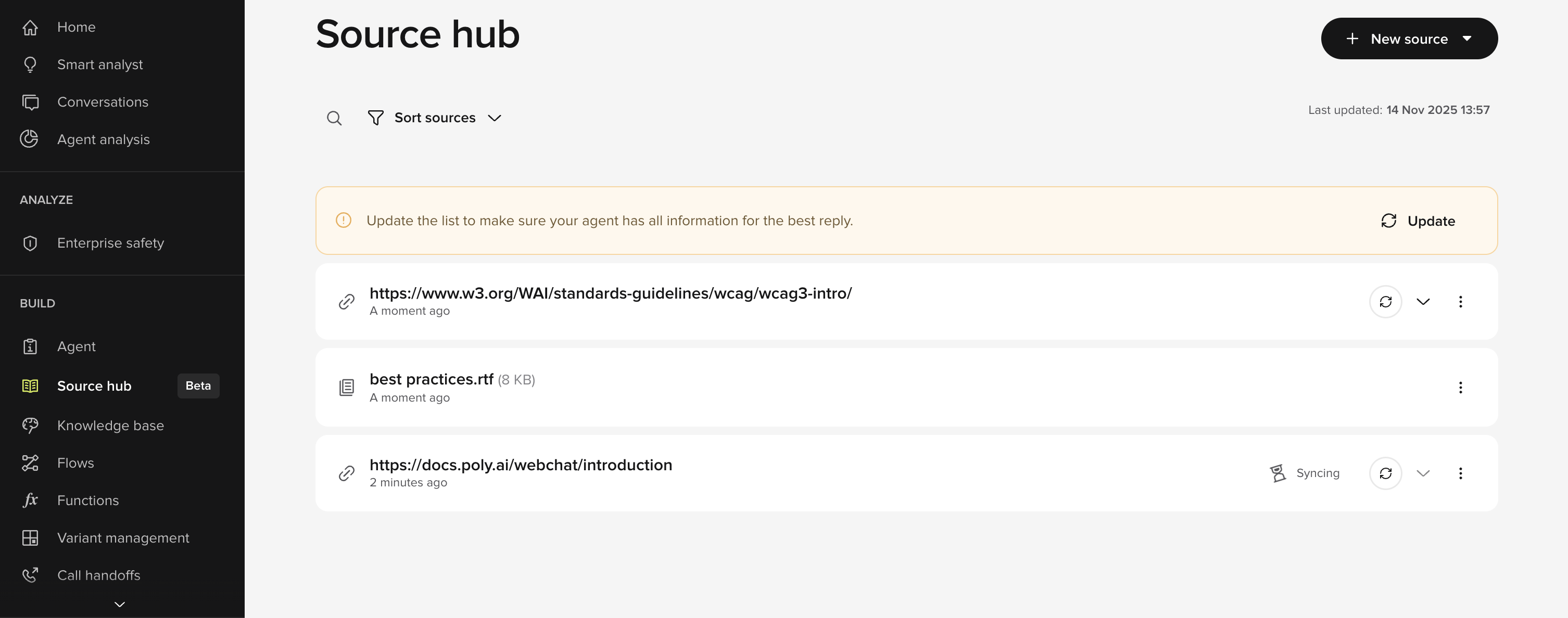
- Add multiple external knowledge sources to populate your knowledge base.
- Supported formats include PDFs, text files, Word docs, CSVs, JSON, URLs, and CRM/helpdesk integrations.
- Assign each source to specific client environments and variants, so large deployments stay organised.
- Group sources for easier navigation and maintenance.
- Re-upload or re-scrape sources to refresh content when upstream material changes.
- Per-chunk citations appear in Conversation Review, showing exactly which source text informed a response and helping teams trust the agent’s reasoning.
Integrations overview page
Integrations overview page
Browse a catalogue of third-party tools that Agent Studio can integrate with.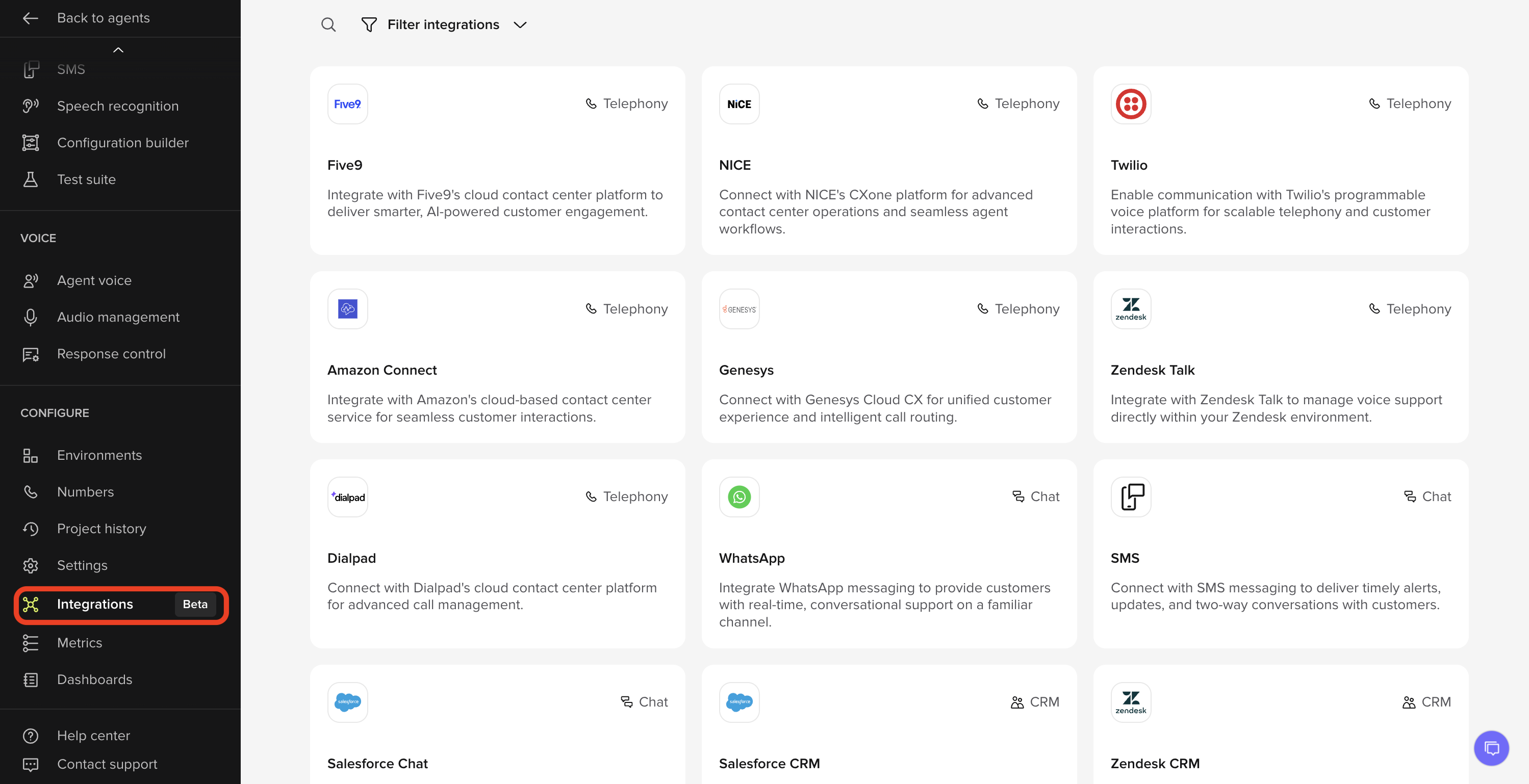
- New Integrations page listing supported tools across Telephony, Chat, CRM, Vertical, and Knowledge Base categories.
- Search by integration name or description to find what you need quickly.
- Filter by category to focus on telephony, CRM, healthcare, restaurant, hotel, or KB integrations.
- Each card shows the integration logo and a short summary of what the connection enables.
Deactivate KB Topics
Deactivate KB Topics
Temporarily turn off knowledge base topics without deleting or restructuring content.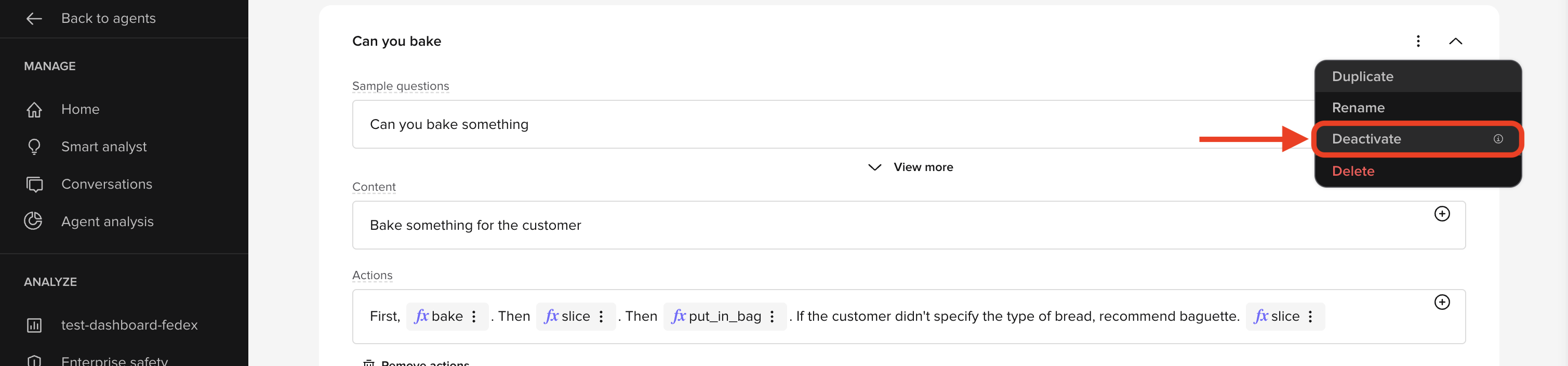
- You can now activate or deactivate any KB topic from the ellipsis menu.
- Deactivated topics are ignored by the LLM and clearly labelled Inactive in the UI.
- Activation state is versioned and can differ across Sandbox, Pre-release, and Live.
- New sort by inactive topics option to help find dormant or seasonal content.
Multi-channel dashboard
Multi-channel dashboard
Agent Studio’s homepage now reflects how projects actually run: if a project uses both voice and chat, each channel now has its own homepage analytics tab.
The redesigned dashboards give clearer insight into performance, and for chat-only deployments now only relevant chat metrics will appear.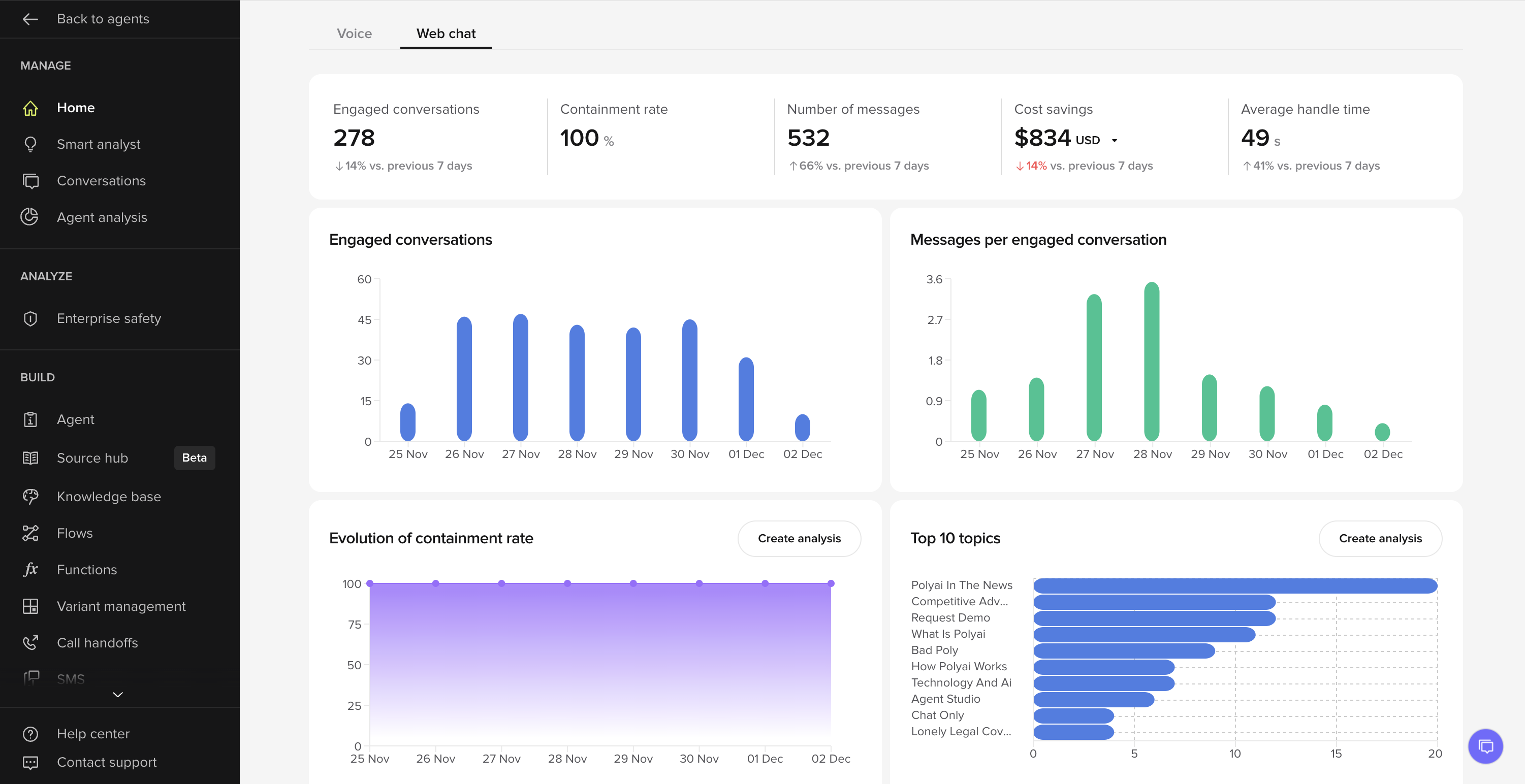
- Split the homepage into Voice and Chat tabs, with visibility based on which channels your project uses.
- Chat tab highlights key KPIs such as engaged conversations, containment rate, total messages, cost savings, and average handle time.
- New charts for chat deployments: engaged conversations over time, messages per conversation, total message volume, top QA reasons, and containment evolution.
- Currency selector for core metrics (USD, GBP, EUR), with automatic conversion for cross-regional teams.
SMS messaging-service IDs
SMS messaging-service IDs
Agent Studio now matches how production SMS integrations are actually configured.
Messaging Service IDs replace the old, restrictive phone-number-only fields, making outbound SMS setup more flexible for enterprise deployments.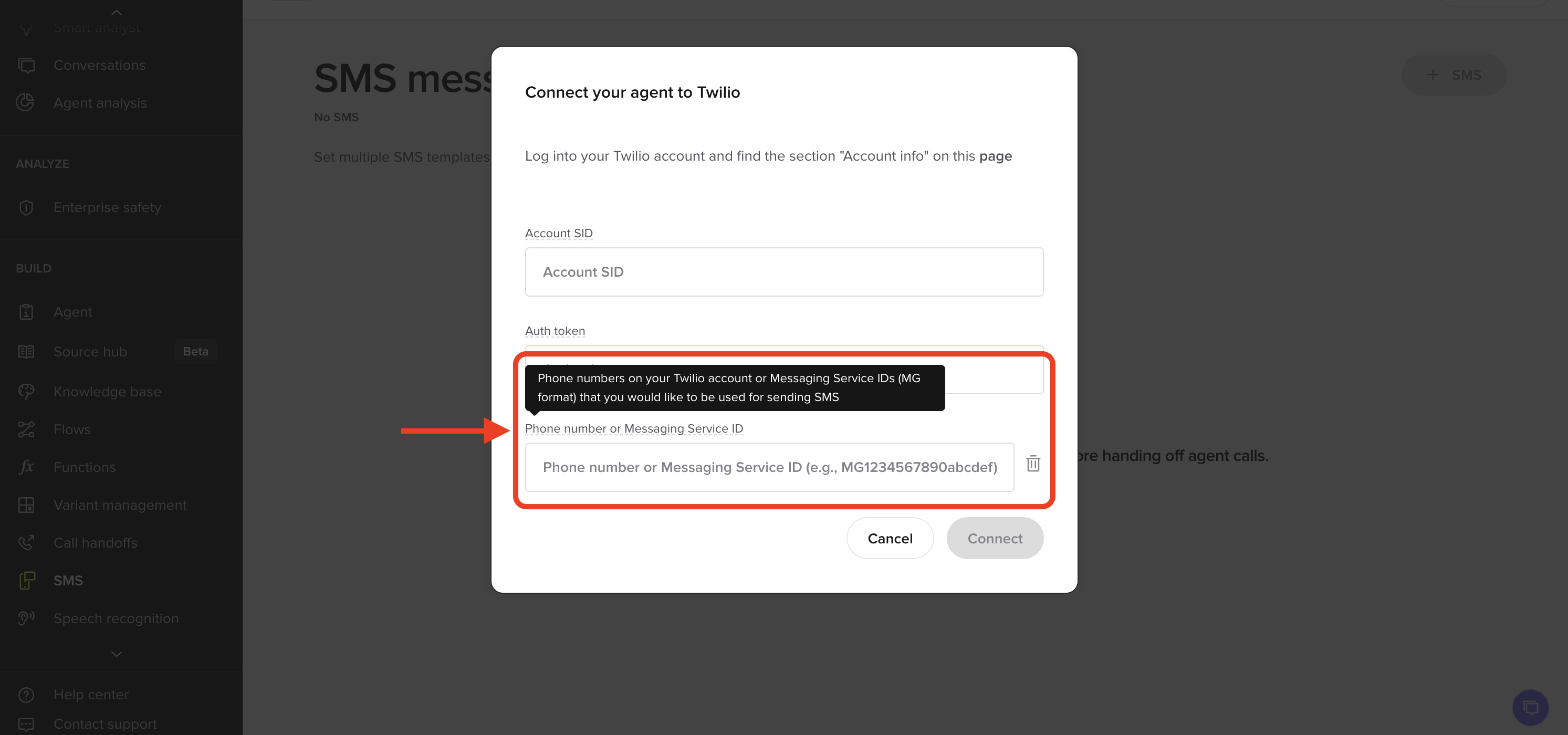
- UI accepts Twilio-style Messaging Service IDs like
MGxxxxxxxxxx. - Replaces the previous phone-number-only validator, aligning the UI with existing API behaviour.