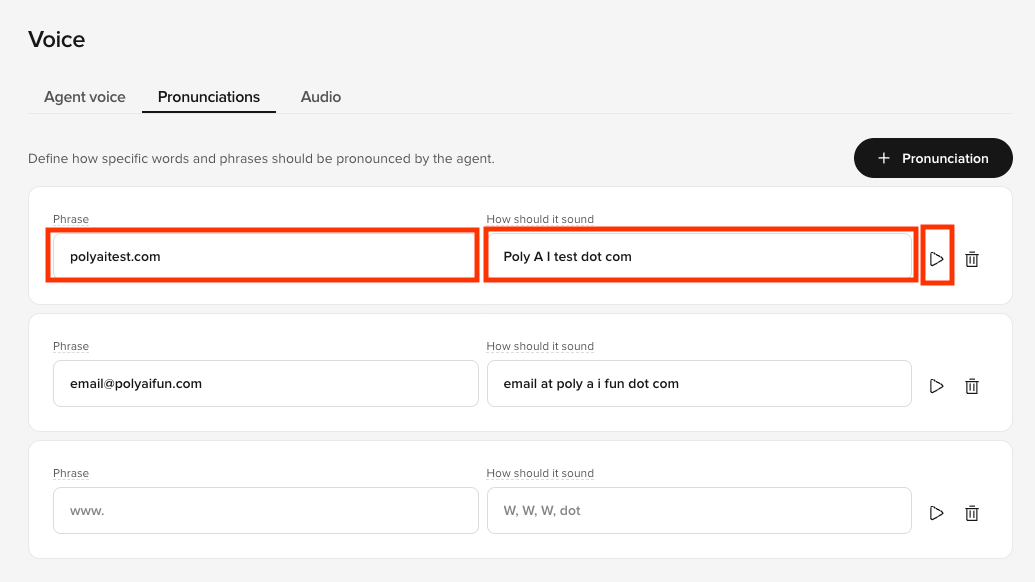

- On the PolyAI platform, click Voice on the left panel
- Click the Pronunciation tab at the top
- Click. ”+ Pronunciation”
- Enter the Phrase (which is the word ir phrase the agent is pronouncing wrong) and How it should sound (which is the phonetic spelling the of word or phrase)
- Click the Play button to the right to hear how the agent pronounces it now
- If you are satisfied, click Save to version in the top-right
- Add a note about what you changed
- Then click Save to version again
- Click Versions on the left panel
- Click Go Live to the right of the change you made