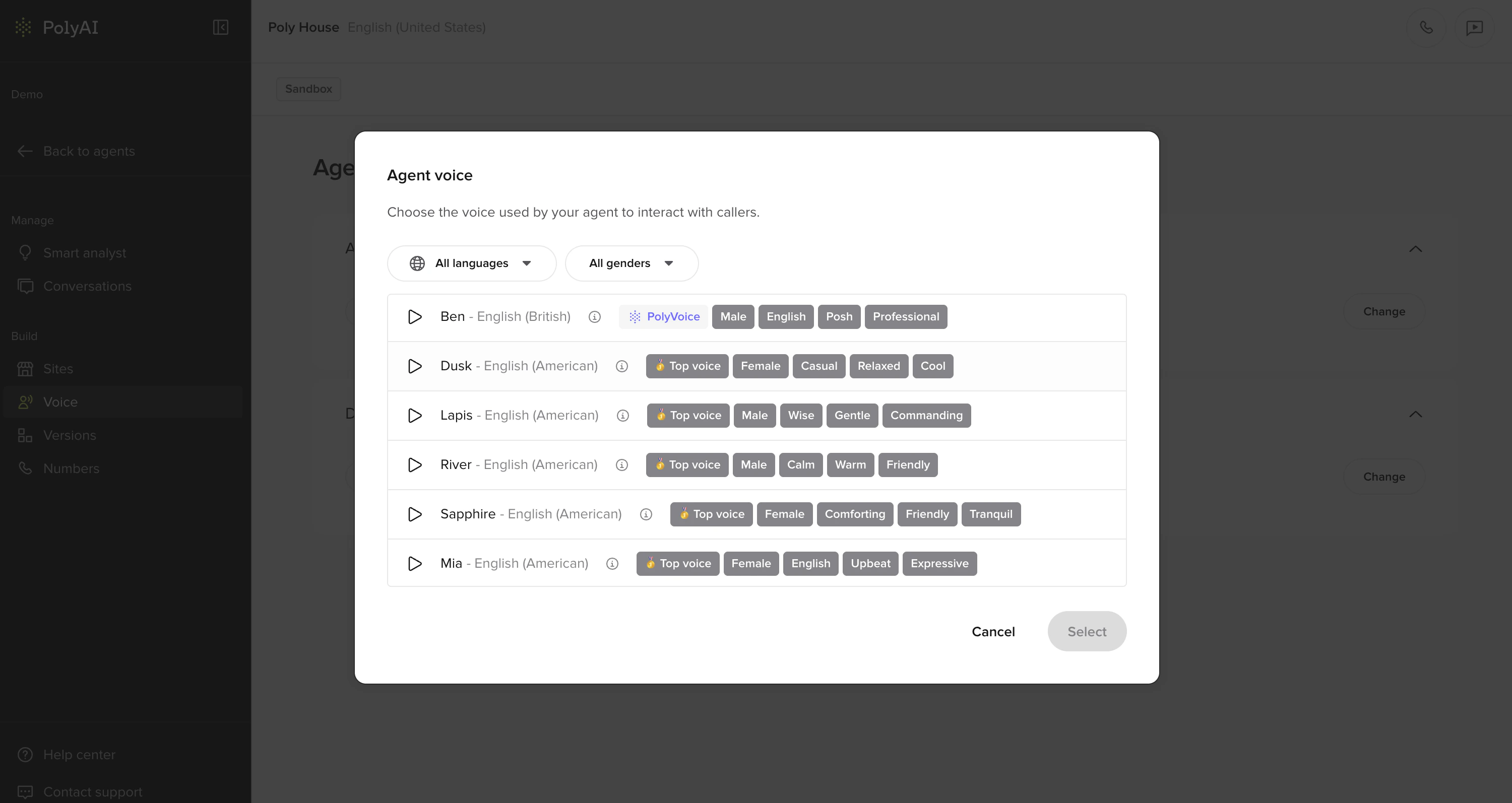
Your PolyAI agent has two voices. One is for the disclaimer, which intentionally sounds robotic. The other is your agent’s main voice, which is human-sounding and speaks from the greeting onwards.
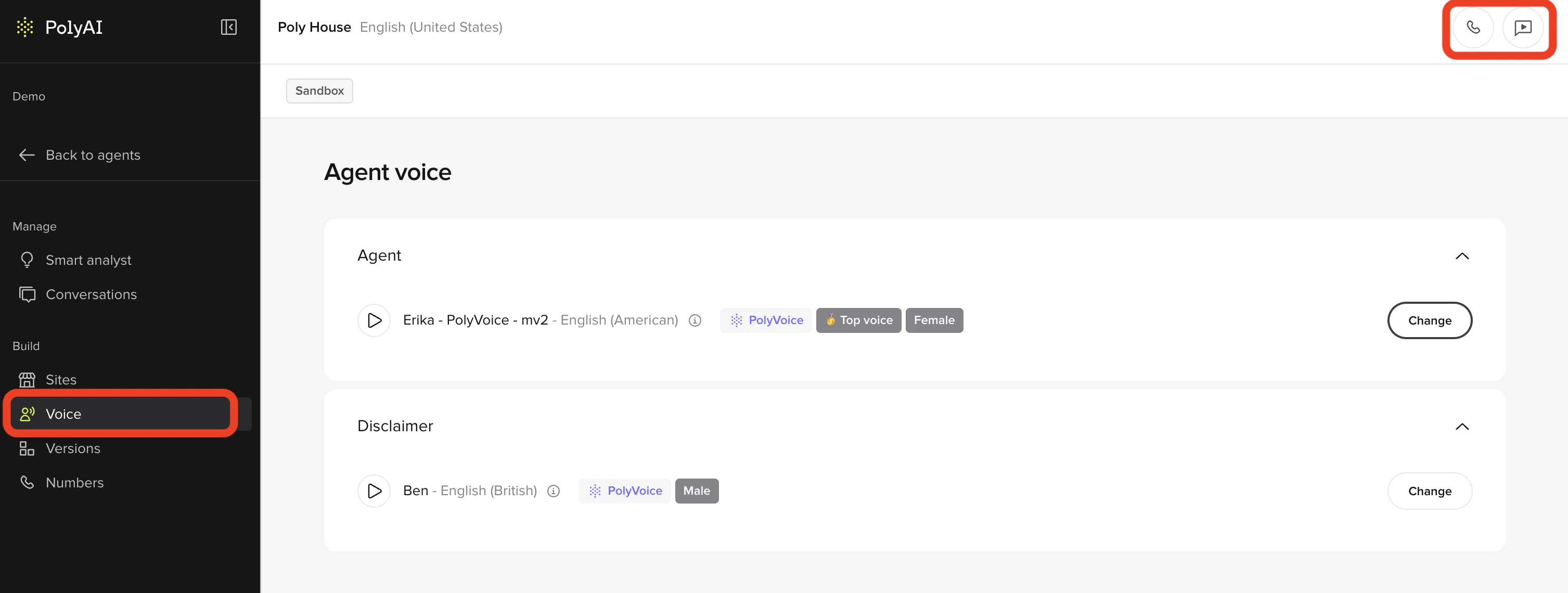
- In the PolyAI platform, click Voice on the left panel
- Click change next to either your main agent’s voice
- (Optional) Apply the languages and/or gender filters to narrow down the selection
- Click the play button next to a voice to hear what it sounds like
- Click the voice you want to choose and click select in the bottom-right
- Once you have made your update, click Save to version in the top-right
- Add a note about what you changed
- Then click Save to version again
- Click the Call Agent button in the top-right
- Select the site and click Start Test Call to hear your new voice(s)
- If you are satisfied with how the agent sounds, click Versions on the left panel
- Click Go Live to the right of the change you made