1. Uncover Additional FAQ topics
You can use Smart Analyst, our conversational analytics tool that uses AI, to review a sample of calls and uncover FAQ topics that your agent does not have answers to. Here is how:- Click Smart Analyst on the left panel of the PolyAI platform
- Type in the following prompt (which you can edit to fit your needs):
Look through all conversations from the past week and highlight any calls where the call had to be transferred because the agent did not have an adequate answers for a question the user asked. Chart in a table with columns: call id, date of call, request, suggested FAQ addition.
- Click Enter on your keyboard and wait for Smart Analyst to give you a response
- Use the answer as guidance for what additional information to include in your FAQ content (click here for instructions on how to add or edit FAQ content)
2. Review Conversations
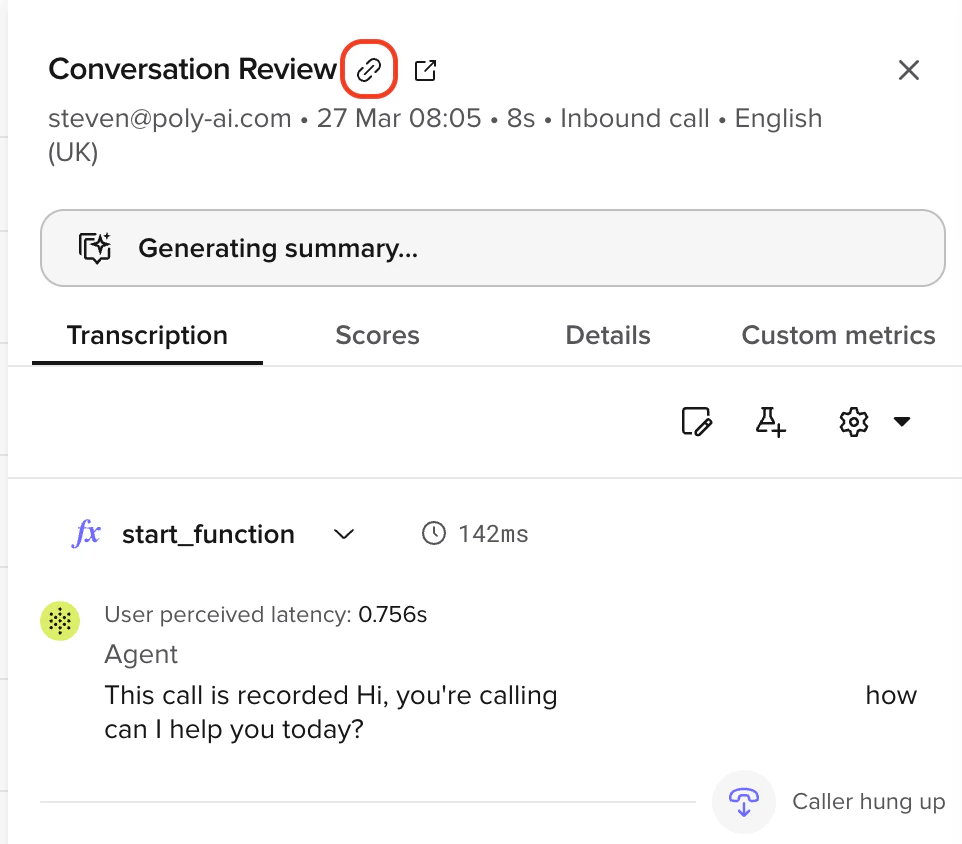
We recommend reviewing conversations that your agent is having at least once a week, to make sure the agent is performing well. You can review conversations by clicking the Conversations section on the left panel of the PolyAI platform. If it is a technical error or bug that you want to report, click the “Contact us” button in the bottom-left of the PolyAI platform and make sure to copy and paste the call SID of at least one call which highlights the issue(s) you are describing into the Call URL field of the Contact Us form. The call SID can be copied by clicking the link button (🔗) at the top of the call.