

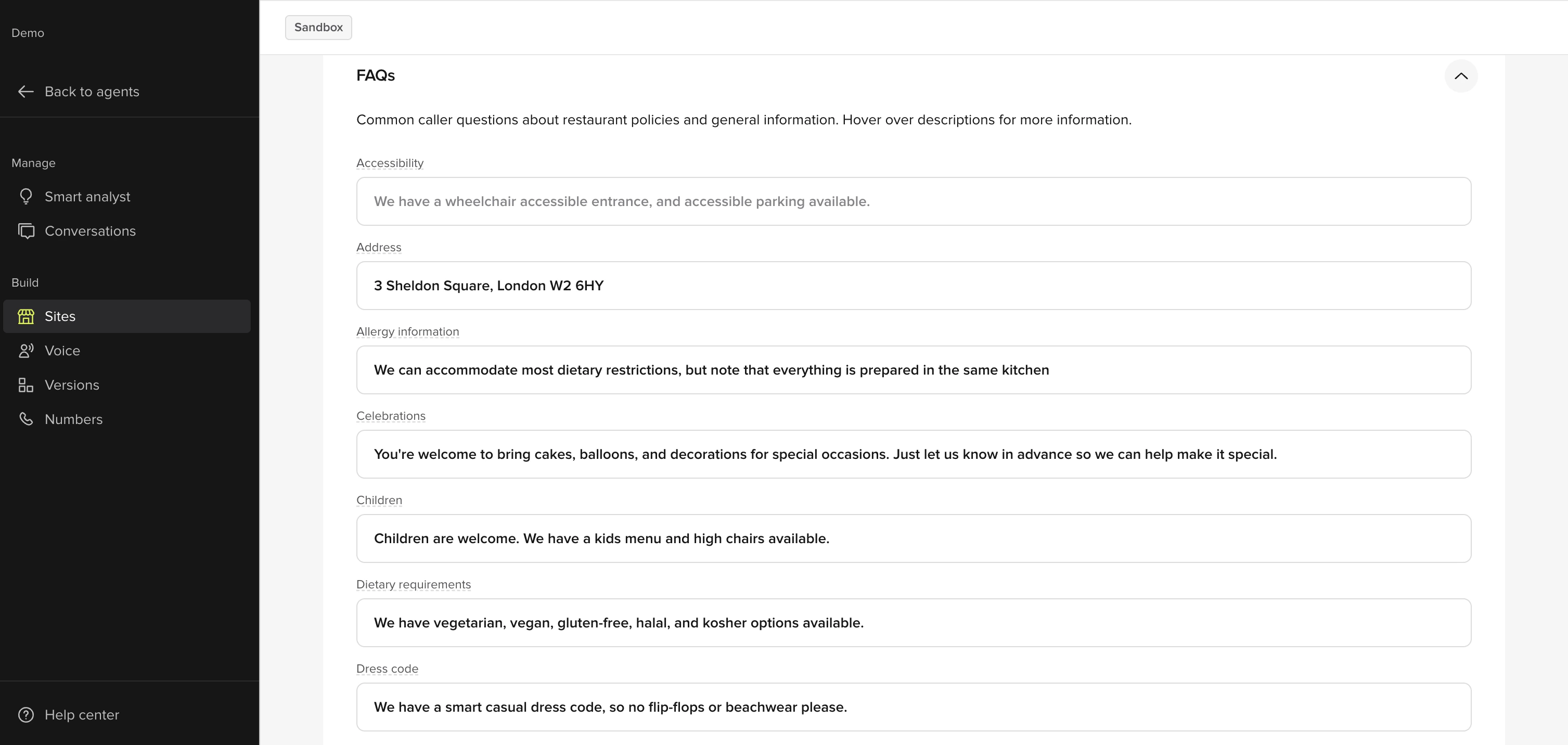
How to update answers to existing questions in the PolyAI platform:
- Click Sites on the left panel
- Click the site you want to make edits to
- Under the General tab, scroll down to FAQs
- Make the edit(s) to the content
- Click Save to version in the top-right
- Add a note about what you changed
- Then click Save to version again
- Click the Call Agent button in the top-right
- Select the site and click Start Test Call
- Ask the agent the question(s) that you edited
- If you are satisfied with how the agent responds, click Versions on the left panel
- Click Go Live to the right of the change you made
How to add additional questions and answers in the PolyAI platform:
If you want to add additional questions and answers that go beyond the existing questions, you can add those in by doing the following:- Click Sites on the left panel
- Click the site you want to make edits to
- Click the Additional FAQs tab
- Click the + FAQ button and fill in the following fields:
- Rename “new-topic” to a name that fits the topic (for example, “live music”)
- Add at least 1 related “Caller Question” (for example, “Do you play live music?”)
- Add the “Answer” (for example, “Yes, we play live music every Friday starting at 6 pm”)
- Click Save to version in the top-right
- Add a note about what you changed
- Then click Save to version again
- Click the call agent button in the top-right
- Select the site and click start test call
- Ask the agent the question(s) that you added answers for
- If you are satisfied with how the agent responds, click Versions on the left panel
- Click Go Live to the right of the change you made